
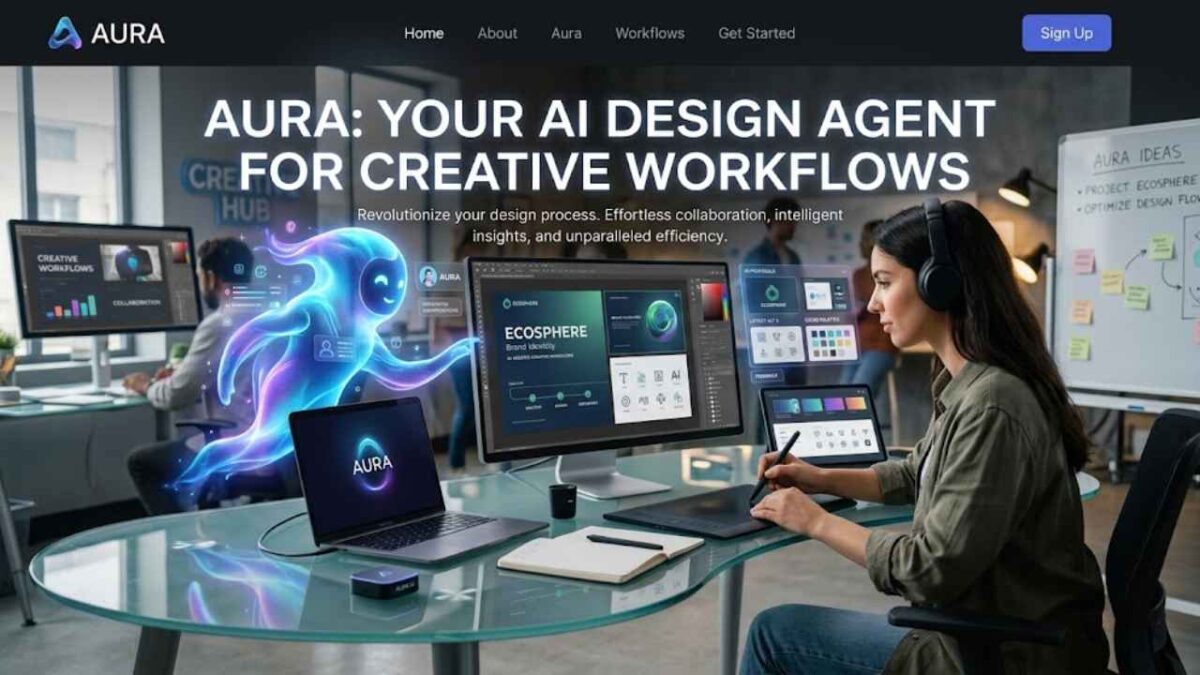
What Is an AI Design Agent? A Guide to Creative Workflows
What Is an AI Design Agent for Creative Workflows? It is an AI system designed to do more than generate a single image or answer a design prompt. It can understand a creative goal, work with project context, and help complete multiple steps needed to move a design forward.
Traditional AI design tools often focus on generating content from a prompt. An AI design agent can take a broader role by exploring ideas, making edits, using design-system elements, and handling repetitive work. Figma’s current AI agent, for example, can work directly on the canvas and perform multi-step design tasks. (Figma)
This technology is becoming part of real creative workflows in 2026. Figma’s agent can generate and refine designs using components, tokens, and variables from a connected design library. It can also help designers explore different directions and apply changes directly to their files. (Figma Help Center)
For designers, the main benefit is not simply creating designs faster. AI agents can take care of some repetitive work and help teams explore more options while designers remain responsible for creative decisions, quality, and final results. Figma also emphasizes keeping the designer in control of the canvas and reviewing the agent’s output. (Figma)
In this guide, we will explain What Is an AI Design Agent for Creative Workflows, how it works, what tasks it can handle, and how it differs from ordinary AI design tools. We will also look at real-world examples and the benefits and limitations designers should understand.

What Is an AI Design Agent for Creative Workflows?
How Does an AI Design Agent Work?
An AI design agent works by taking a creative goal and turning it into a series of actions. Instead of simply generating one response, it can interpret the request, use available context and tools, make changes, and continue refining the result. This follows the broader agentic workflow of perception, reasoning, planning, and action. (Google Cloud)
First, the agent needs to understand what the designer wants to achieve. A user might ask it to create a landing page, improve a layout, or develop several design options. The agent interprets that goal and determines what needs to be done rather than treating the request as a single image-generation prompt.
Next, the agent can use context from the project. This may include existing components, colors, typography, variables, design rules, or other reference material. Figma’s AI agent, for example, can connect to a design library and use real components, styles, and variables when generating or refining designs. (Figma)
The agent can then take actions inside the design environment. It may create layouts, edit layers, explore different directions, make bulk changes, or apply feedback. Figma says its agent can run multi-step design tasks directly on the canvas rather than only answering questions about design. (Figma)
Finally, the designer reviews the result and guides the next step. The output may need changes, so the user can give another instruction, ask for a different direction, or manually adjust the design. This human review remains important because AI output can still be incorrect or unsuitable for the project’s needs. (Figma Help Center)

What Can an AI Design Agent Do?
Generate and Explore Design Ideas
One of the main uses of an AI design agent is helping designers explore more ideas in less time. Instead of stopping after the first concept, an agent can generate different layouts, visual directions, or design variations from the same brief. Figma’s current agent, for example, can generate multiple directions and let designers compare them on the canvas. (Figma)
This makes the early creative stage more flexible. A designer can ask the agent to try a different layout, visual style, or structure and then refine the strongest option. The goal is not to let AI make the final creative decision, but to give the designer more options to evaluate.
This type of workflow also connects with the broader idea of AI agents. Unlike a simple chatbot that mainly responds to a prompt, an agent can work toward a goal and take actions across multiple steps. You can learn more about that difference in our guide to AI Agent vs Chatbot.
Automate Repetitive Design Tasks
Creative work includes many tasks that are necessary but repetitive. Designers may need to adjust layouts, make bulk edits, prepare different versions, or organize design elements. An AI design agent can handle some of these tasks so the designer can spend more time on creative decisions.
Figma says its agent can automate busywork, including bulk edits and layout-related tasks. Adobe has also introduced a creative agent across Photoshop, Illustrator, Premiere, InDesign, and Frame.io to help orchestrate multi-step production workflows. (Figma Help Center)
This does not mean every repetitive task should be handed to an AI agent. Designers still need to check whether the changes are correct and whether they match the project’s goals.
Use Design Systems and Brand Context
An AI design agent becomes more useful when it has access to the right context. Instead of creating a design from generic instructions, it can work with existing components, colors, typography, variables, and other design-system elements.
Figma allows its agent to connect to design libraries so it can use real components, styles, and variables when generating or editing designs. Figma also recommends structured design systems because they give the agent clearer information about how a product should look and behave. (Figma Help Center)
This matters because good AI output is not only about generation. It is also about context. The more relevant information an agent has, the better it can align its work with an existing product or brand.
AI systems are also becoming part of wider digital workflows, where context and tool access can affect what an agent is able to do. For a related look at how AI systems can interact with users and technology, see our article on why Character.AI requires a camera scan.
Review and Refine Designs
AI-generated design work should not normally be treated as finished simply because an agent created it. Designers still need to review the result, identify problems, and decide what should change.
Figma’s current workflow allows users to review the agent’s output and continue refining it through the same conversation. The agent can also receive feedback and apply further changes to the design. (Figma)
This makes the process more collaborative. The AI agent can handle parts of the execution, while the designer provides direction, judgment, and final approval. That human oversight is especially important when a design needs to match a specific audience, brand identity, or accessibility requirement.
AI can also be useful beyond visual design itself. Tools such as NotebookLM show how AI can work with source material and context to help users organize and understand information. You can read more in our NotebookLM review.
At the same time, AI-powered workflows can require significant computing resources. The wider growth of AI systems has also raised questions about energy demand, which we cover in our article on the AI energy crisis.
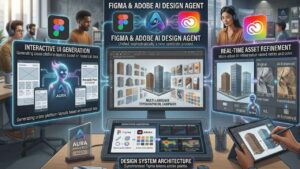
AI Design Agents in 2026: Figma and Adobe Examples
Figma Design Agent
Figma’s Design Agent is a practical example of how an AI design agent can work inside a professional design environment. Introduced in beta in May 2026, it can work directly in Figma files to create and remix designs, adjust layouts, automate repetitive work, and provide design feedback. It can also use real components, tokens, and variables instead of relying only on generic placeholders. (Figma)
The agent can also help designers explore different design directions and refine an existing concept through natural-language instructions. This makes it different from a basic image generator because the agent can take actions across multiple steps within the design file. Figma describes this as reasoning, taking action, and running multi-step design tasks directly on the canvas. (Figma)
Adobe Firefly AI Assistant
Adobe Firefly AI Assistant is another real-world example of agentic creativity. Adobe introduced it in 2026 as a conversational assistant powered by its creative agent. Users can describe the outcome they want, while the assistant orchestrates multi-step workflows across Creative Cloud tools. (Adobe Blog)
For example, Adobe says the assistant can help turn a product image into social assets, create mood boards, refine portraits, and work across photos, videos, and designs. It can draw on numerous professional creative tools while allowing the user to review the steps, redirect the workflow, or take control when needed. (Adobe Blog)
These examples show the main idea behind AI design agents: the AI is not limited to generating one piece of content. It can participate in a connected creative workflow, while the designer continues to provide the creative direction and final judgment.

Benefits and Limitations of AI Design Agents
AI design agents can make creative workflows faster and more flexible, but they are not a complete replacement for professional designers. Their value depends on how well they understand the project, access the right tools and context, and work under human supervision.
One major benefit is faster production. An agent can handle repetitive tasks, create design variations, and make multiple changes without requiring the designer to perform every step manually. This can give creative teams more time to focus on ideas, strategy, and visual direction.
Another benefit is greater creative exploration. Designers can ask an agent to try different layouts, styles, or concepts and then choose which direction is worth developing. This can make the early stages of a project faster without removing human creative judgment.
AI design agents can also improve consistency when they work with established design systems. Components, colors, typography, and brand rules can provide useful context, helping the agent produce work that is closer to an existing product or brand identity.
However, AI design agents also have limitations. They can misunderstand instructions, make unsuitable design choices, or produce results that look technically correct but do not fit the intended audience. Human review is therefore still important, especially for branding and other high-value creative decisions.
Context and permissions can also create challenges. An agent may need access to design files, libraries, or other tools to complete a workflow. The more systems it can access, the more important it becomes to control permissions and review what actions the agent can take.
Finally, AI design agents can involve higher costs and technical complexity than simple AI design tools. Agentic systems may require more computing resources because they can reason, use tools, and perform several actions instead of generating a single response. Google Cloud notes that advanced AI agents can also introduce greater computational costs and complexity.
The best approach is therefore to treat an AI design agent as a creative collaborator and workflow assistant, not as a replacement for human designers. It can handle execution and repetitive work, while people remain responsible for creative direction, quality, context, and final approval.
Will AI Design Agents Replace Designers?
AI design agents are likely to change the role of designers more than simply eliminate it. They can generate ideas, handle repetitive tasks, and make design changes, but important decisions still require human judgment. Figma’s current Design Agent, for example, is built to work with designers rather than replace them, with users reviewing outputs and remaining in control of the canvas. (Figma)
The strongest human advantage is creative judgment. A designer has to understand the audience, brand, user needs, visual hierarchy, and the reason behind a design decision. AI can produce many possible solutions, but deciding which one actually solves the problem is still a human responsibility. Figma’s 2026 research found that 87% of surveyed designers said decision-making power improves their performance. (Figma)
AI may, however, reduce the need for some manual and repetitive design work. Tasks such as creating variations, organizing layouts, applying design systems, and making routine changes can increasingly be handled by AI tools and agents. This means designers may spend less time on production and more time on strategy, experimentation, review, and refinement. (Figma)
There is also evidence that creative work is being redistributed rather than simply replaced. Adobe’s 2026 research found that AI skills are becoming more common in creative job postings, while dedicated creative roles continued to appear in its U.S. job-posting data. The research also found that working creatives were adopting AI selectively while keeping humans involved in areas involving originality, ownership, and creative judgment. (Adobe)
So, the more realistic future is designer + AI agent, not designer versus AI. Designers who learn how to direct, evaluate, and refine AI-generated work may become more productive, while the value of human taste, creativity, context, and decision-making can become even more important. Adobe similarly argues that creative agents should support human creativity while people remain responsible for vision and creative decisions. (blog.adobe.com)
FAQs
What is an AI design agent?
An AI design agent is an AI system that can understand a design goal, use project context and design tools, and complete multiple steps within a creative workflow. Unlike a basic AI tool, it can take actions and refine work based on further instructions. Figma’s agent, for example, can create and edit designs, explore different directions, and provide feedback directly on the canvas. (Figma)
How is an AI design agent different from an AI design tool?
A traditional AI design tool may perform a specific task, such as generating an image or changing content. An AI design agent can combine several actions to work toward a broader goal. It can use context, perform edits, and continue refining the result instead of stopping after one output. (Figma Help Center)
Can AI design agents replace designers?
AI design agents are more likely to assist designers than completely replace them. They can handle repetitive work and generate design options, while designers still provide creative direction, judgment, and final approval. Figma also keeps the designer in control of reviewing and refining agent-generated work. (Figma)
What tasks can an AI design agent perform?
Depending on the platform, an AI design agent can generate layouts, explore design directions, edit layers, apply design-system elements, automate repetitive changes, and provide design feedback. Figma’s agent can also work with connected libraries containing components, styles, and variables. (Figma Help Center)
Is an AI design agent useful for creative teams?
Yes. It can help teams explore ideas faster, reduce repetitive work, and keep design work connected to existing systems and project context. However, teams should still review AI-generated work before using it in final products. Figma itself notes that AI outputs can be misleading or wrong and should be reviewed. (Figma Help Center)
Conclusion
AI design agents are moving creative AI beyond simple image generation and prompt-based tools. They can understand goals, use design context, perform multiple actions, and help complete parts of a wider creative workflow.
The biggest value comes from combining AI automation with human creativity. Designers can use agents to explore ideas, handle repetitive tasks, and refine designs while keeping control over important creative decisions.
As platforms such as Figma and Adobe continue developing agentic creative tools, AI design agents are likely to become a more common part of professional design workflows. They may change how designers work, but human judgment, creativity, and final approval will remain important.



[…] zooming, and complex lighting transitions. You can further streamline this workflow by utilizing an AI design agent to handle your static graphic assets while the video model renders the motion sequences. Working […]
[…] and focus entirely on original storytelling. Integrating specialized platforms—such as an AI design agent for creative workflows—empowers digital artists to streamline their foundational production phases. These smart tools […]